

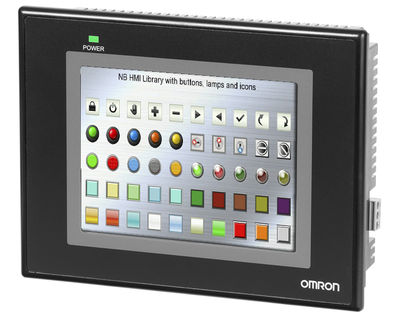
Omron NB10W – the Omron NB HMIs
Omron NB series HMIs are extremely versatile human / machine interfaces suitable for the vast majority of applications. NB-Designer software for creating graphic pages is free and can be downloaded from the Omron website. In particular, the Omron NB10W HMI has the following characteristics:
- TFT Touch Screen with 10.1 “LCD display and 65,536 colors
- Long life LED backlight
- Serial, USB or Ethernet communication
- Support of USB sticks
- 128 MB internal memory
- Bitmap and vector graphics
State-of-the-art display
The robust Omron NB10W TFT LCD touch screen allows excellent visibility and is equipped with long-lasting LED backlighting (50,000 h = approximately 6 years), characterized by a good viewing angle and optimal brightness. The dimensions of the Omron NB10W panels correspond to 10.1 inches. The large memory (128 MB) allows your HMI application to hold numerous images and animations and in addition the Omron NB10W HMI supports all common graphic file types: jpg, gif, png, etc.
Omron NB10W: an intelligent design

Flexibility and versatility of an operator panel are decisive elements in the design and use of a machine. For this reason, the Omron NB10W panel, as well as all the Omron NB series HMIs, is equipped with numerous features that make its use convenient and advantageous:
- Portrait or landscape mode
- Connection to Omron and non-Omron devices
- Connection to both PLC and other devices, such as inverters
- Serial, USB or Ethernet connectivity
- PictBridge printer connection
Omron NB10W: ease of use

The Omron NB10W HMI panel, like all the Omron NB series, has many extremely useful features that simplify the creation and maintenance of user projects:
- USB key support
- Advanced graphics and animations
- Multilingual support and “tool”
- Online / offline simulation of the HMI program
Omron NB10W: wide range of features
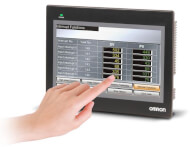
The free NB-Designer software offers all the features and functionalities that allow you to create intuitive pages for the operator quickly and easily. Flexibility in window management and multilingual support are just two examples of these features. The offline simulation also allows you to quickly test the project in progress. Below are the most interesting features for building an application:
- Alarm / event displays
- Bit status switches / indicators
- Multiple status switches / indicators
- List and drop-down list
- Animation and moving components
- Recipe data display / controls
- Number and text input / display
- Graphs of trend curves and plots
- Diagrams and histograms
- Gauges, scales and cursors
- Display with grids and historical data
- Function keys
- Timing function
- Bitmap and vector graphics
- Data copy function
- Text library
- Macro functionality
- Several security options