

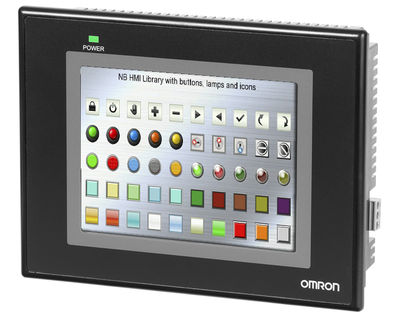
OMRON NB5Q – THE OMRON NB HMI
Omron NB series HMIs are extremely versatile human / machine interfaces suitable for the vast majority of applications. NB-Designer software for creating graphic pages is free and can be downloaded from the Omron website. In particular, the Omron NB10W HMI has the following characteristics:
- TFT Touch Screen with 5,6“ LCD display and 65,536 colors
- Long life LED backlight
- Serial, USB or Ethernet communication
- Support of USB sticks
- 128 MB internal memory
- Bitmap and vector graphics
State-of-art display
The robust Omron NB5Q TFT LCD touch screen allows an excellent visibility and is equipped with long-lasting LED backlighting (50,000 h = approximately 6 years), characterized by a good viewing angle and optimal brightness. The dimensions of the Omron NB5Q panels correspond to 5,6 inches. The large memory (128 MB) allows your HMI application to hold numerous images and animations and in addition the Omron NB5Q HMI supports all common graphic file types: jpg, gif, png, etc.
Omron NB5Q: an intelligent design

Flexibility and versatility of an HMI panel are decisive elements for the design and, more important, for using the machine. For this reason the Omron NB5Q panel, as well as all the Omron NB series HMIs, is equipped with numerous features that make its use convenient and advantageous:
- Portrait or landscape mode
- Connection to Omron and non-Omron devices
- Connection to both PLC and other devices, such as inverters
- Serial, USB or Ethernet connectivity
- PictBridge printer connection
Omron NB5Q: ease of use

The Omron NB5Q HMI panel, like all the Omron NB series, has many extremely useful features that simplify the creation and maintenance of any project:
- USB key support
- Advanced graphics and animations
- Support and multilingual tool
- Online / offline simulation of the HMI program
OMRON NB5Q: wide range of features
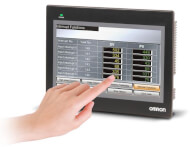
The free NB-Designer software offers all the features and functions that allow you to easily and quickly create intuitive pages for the operator. Flexibility in window management and multilingual support are just two examples of these features. The offline simulation also allows you to quickly test the project in progress. The most interesting features for creating an application are listed below:
- Alarm / event displays
- Bit status switches / indicators
- Multiple status switches / indicators
- List and drop-down list
- Animation and moving components
- Recipe data display / controls
- Number and text input / display
- Graphs of trend curves and plots
- Diagrams and histograms
- Gauges, scales and cursors
- Display with grids and historical data
- Function keys
- Timing function
- Bitmap and vector graphics
- Data copy function
- Text library
- Macro functionality
- Several security options